
Process
Snow, Glass, Apples

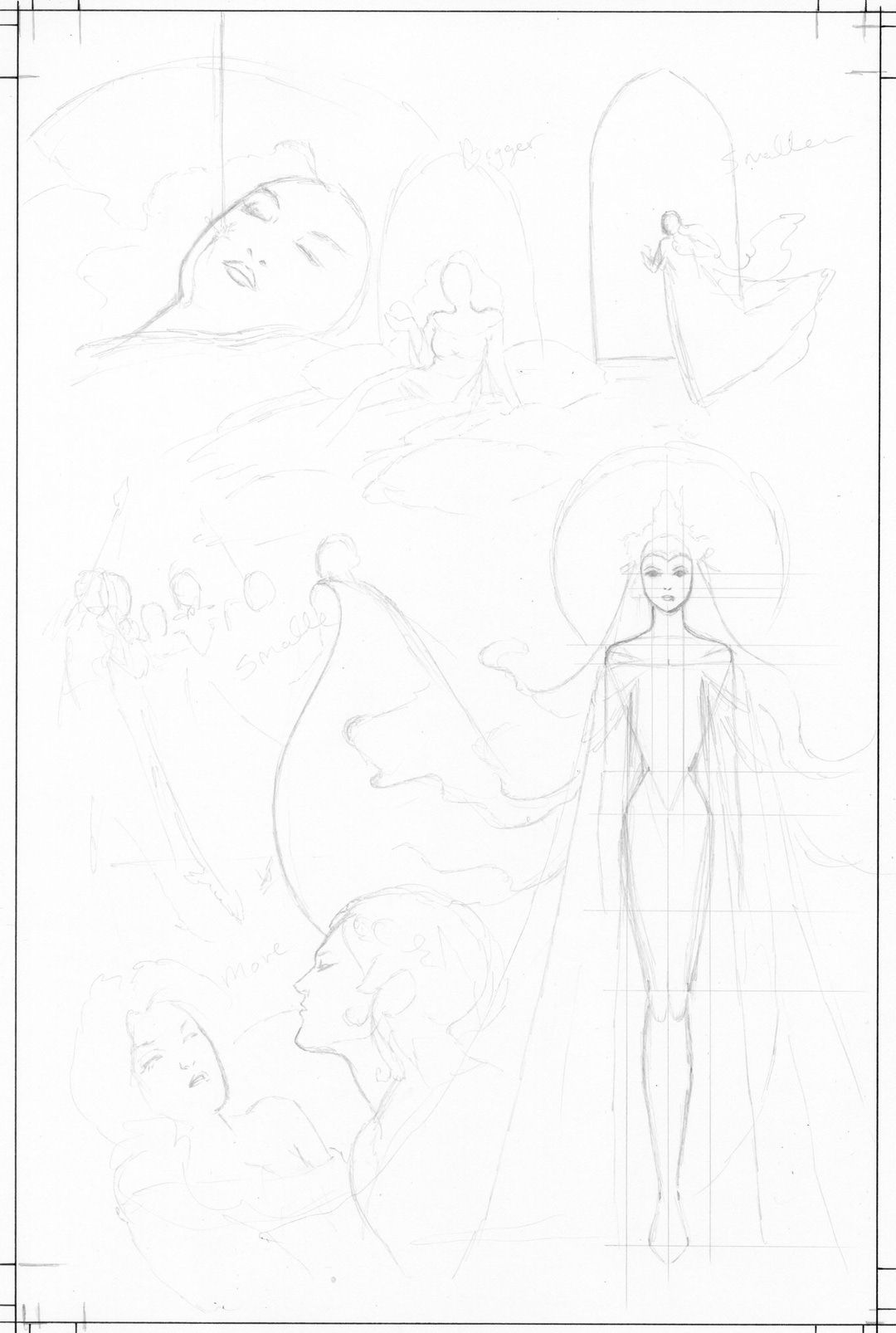
Here’s a look at my process on pencils, which now includes using Photoshop to manipulate my sketches, saving me hours of redrawing time.
I start with a small thumbnail as shown below. This is only a couple of inches high.
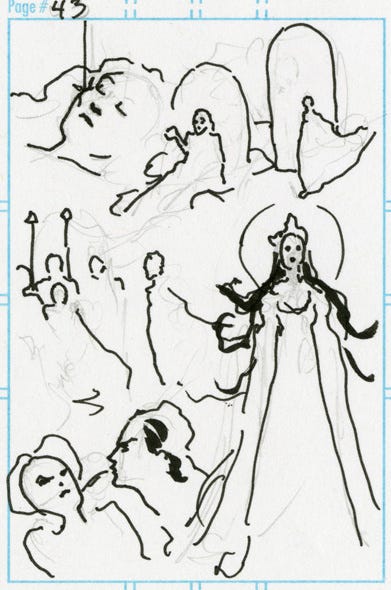
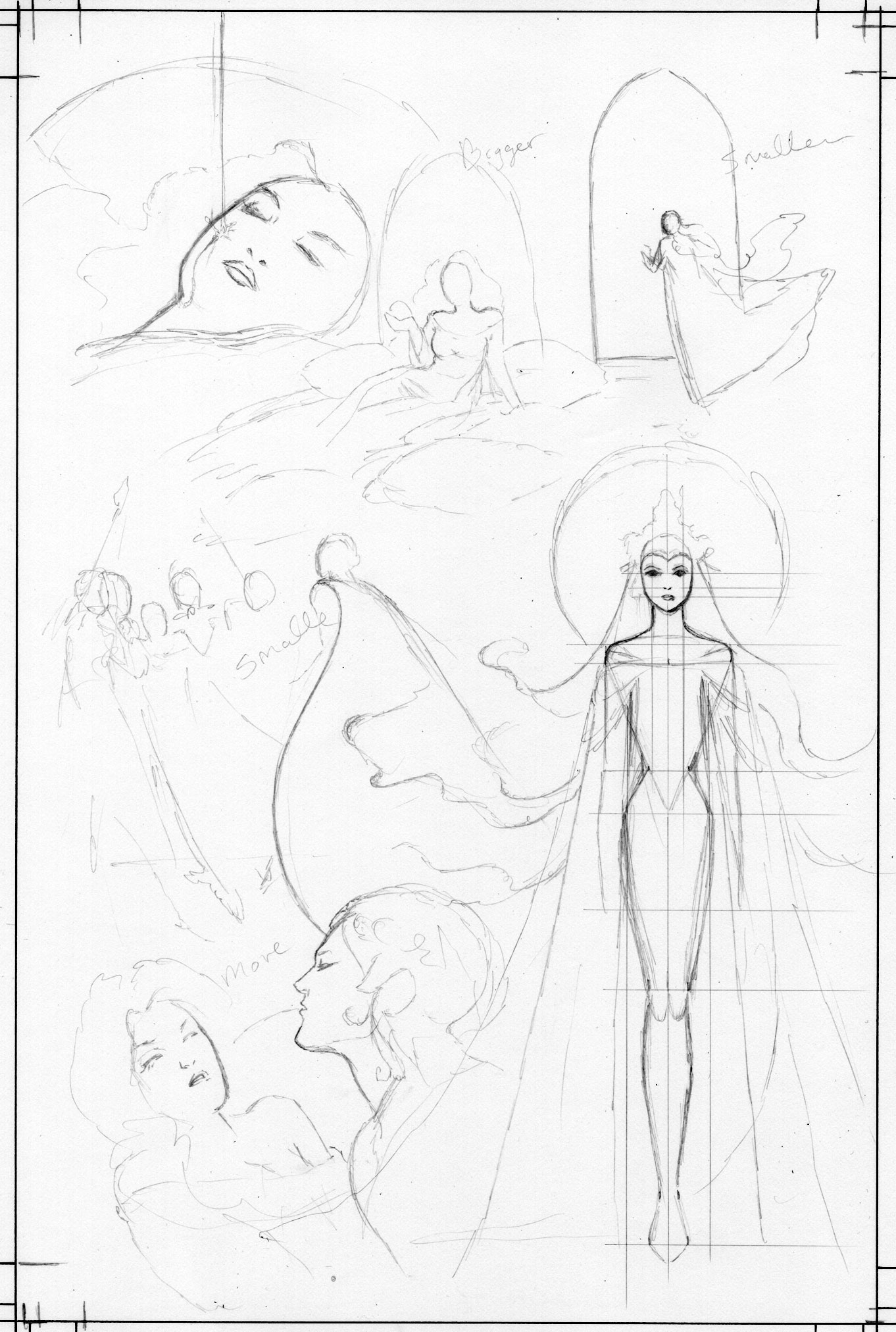
Then I enlarge my thumbnail and trace it using a lightbox onto a piece of Strathmore 500 paper, sketching in more details as I go.
I scan it on my computer and darken it to see the pencil art better.
Instead of going through a laborious process of redrawing the whole composition over and over until I get things just right, I use Photoshop to cut and paste areas, and move them around.
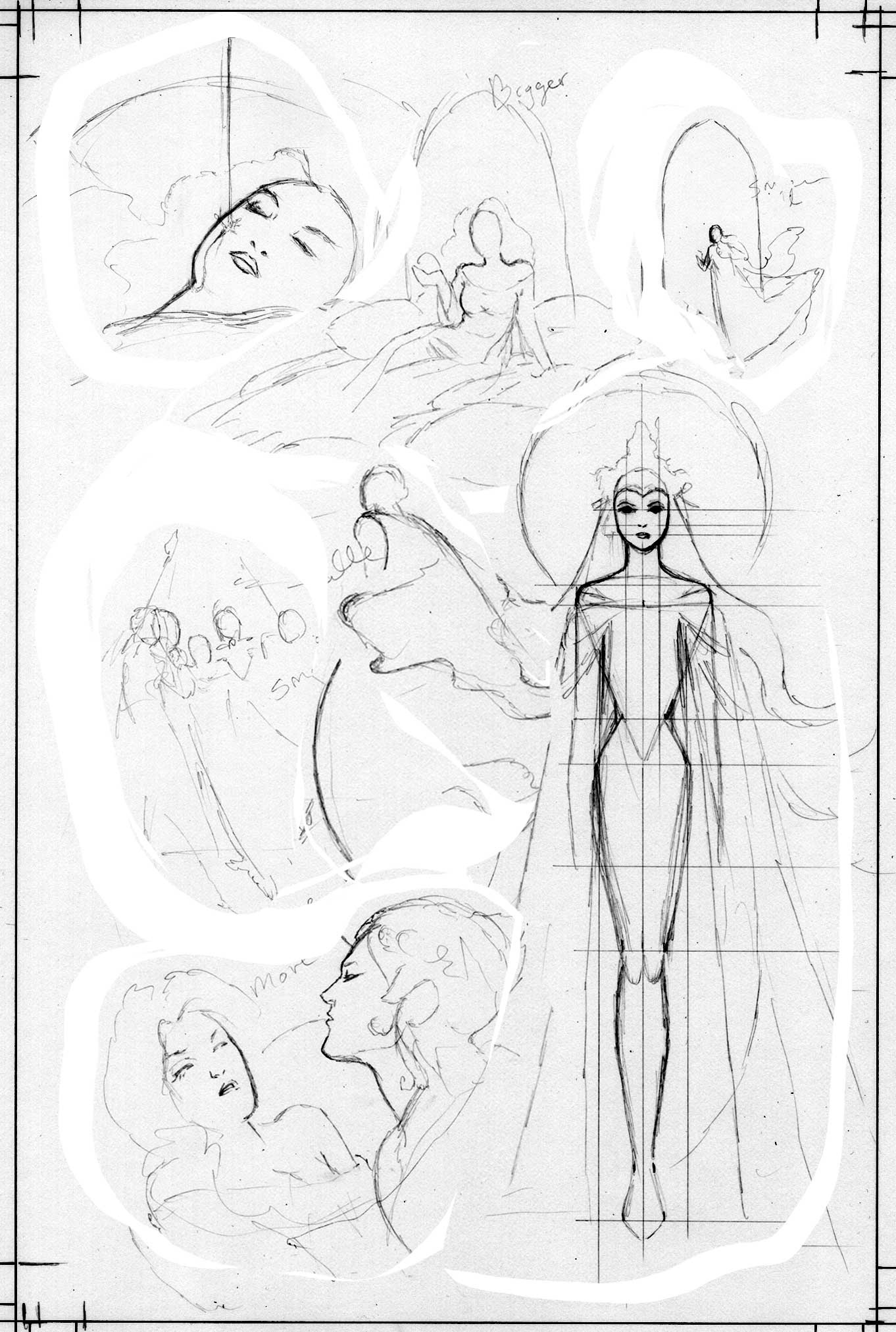
I can fiddle around without sinking hours into erasing and redoing the whole picture repeatedly.
After a short time, I’ve made numerous tweaks and can pick and choose from several options, print out the favorite, and go with that for the final drawing, which I’ll trace on my lightbox.
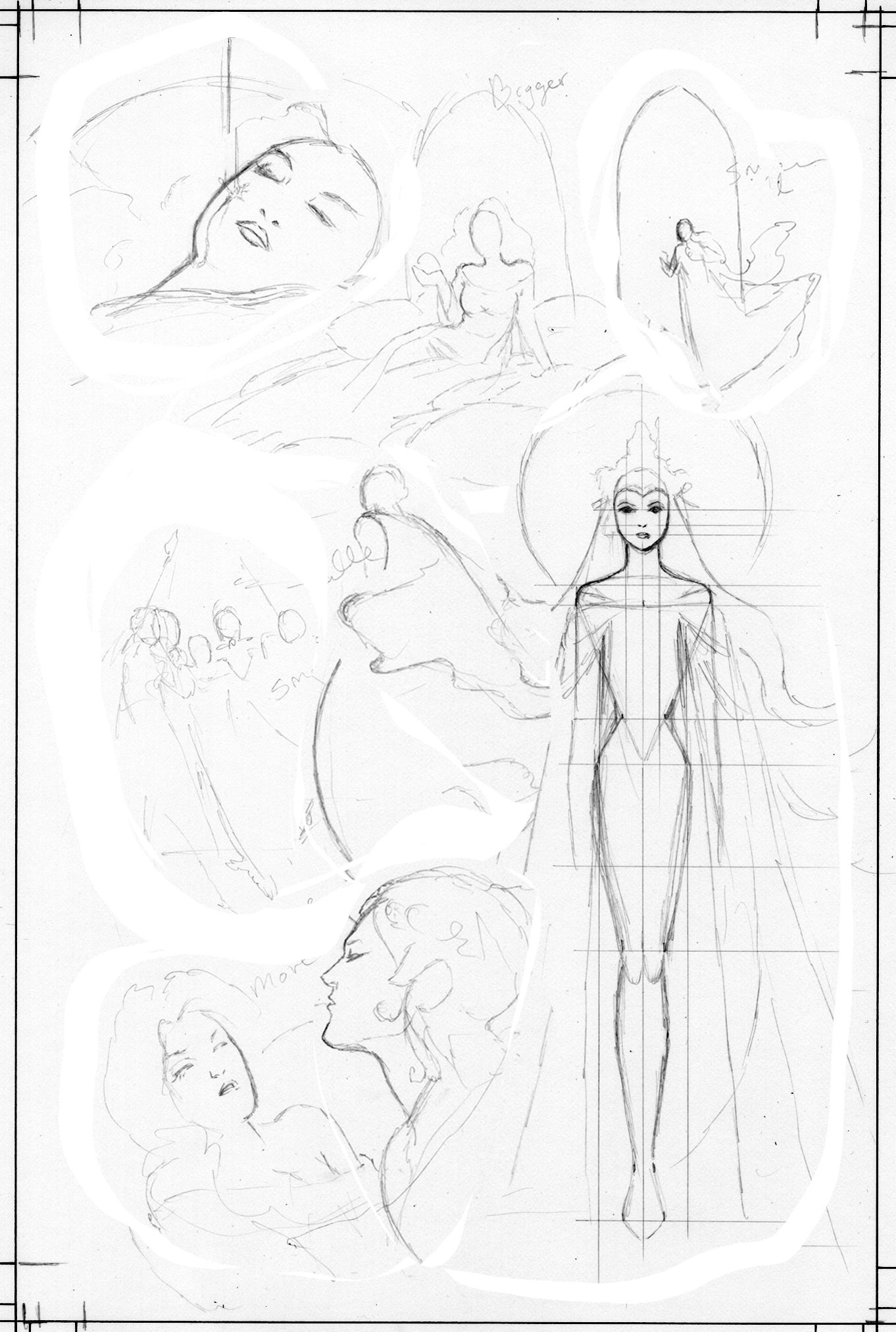
I usually lightbox the new version right on top of the old drawing, but in this case, there’ve been so many changes to the work I’ll probably have to use a new sheet of paper or do a lot of erasing over the old art to get what I want. I don’t like to ink on heavily erased paper.
The two drawings on top of one another can also confuse the eye when looking at all these lines layered on top of one another.
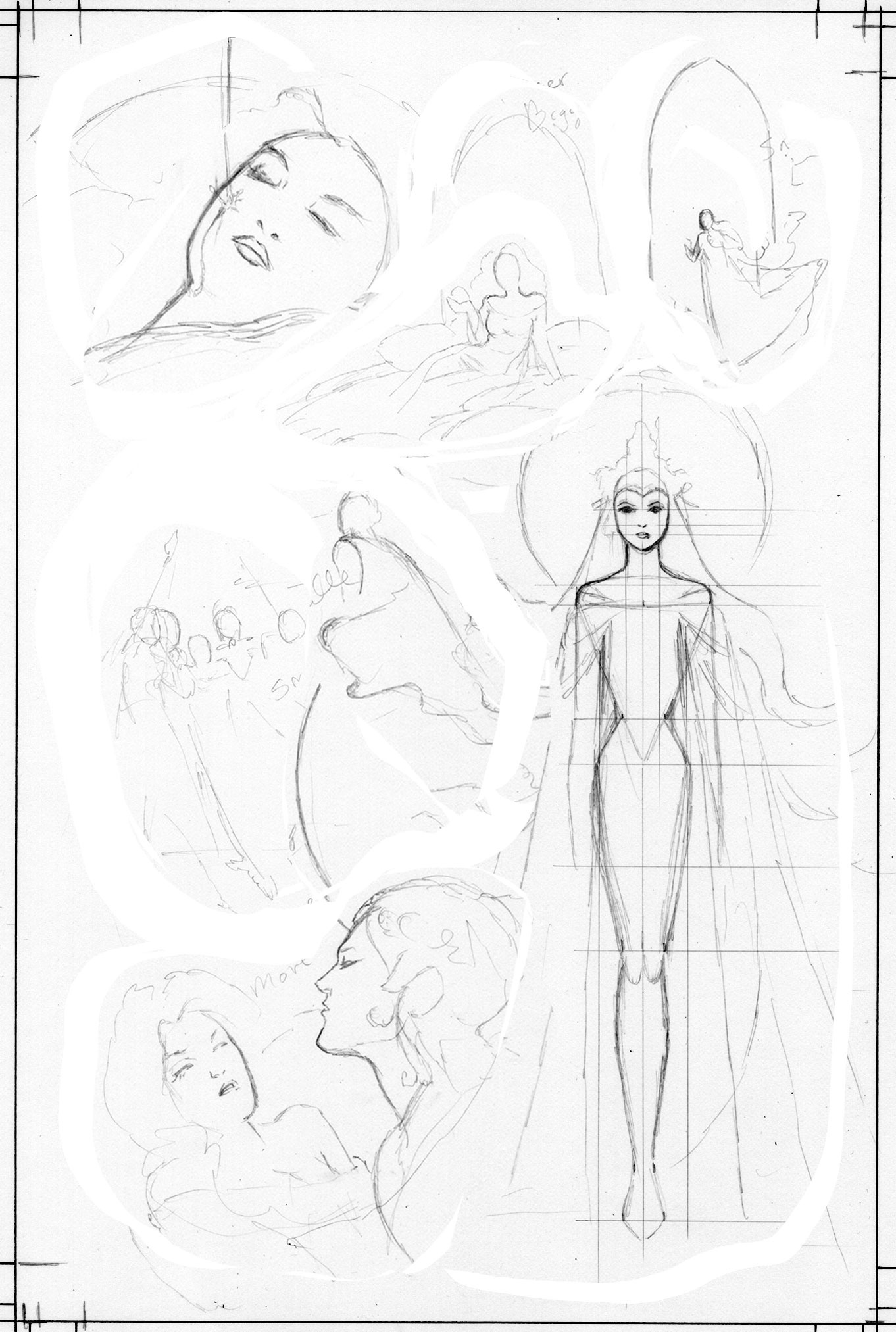
I also don’t like how I changed the angle of the face in panel 1 from the thumbnail, and will redo that as well.
I only started using Photoshop to help me with my process around 2016. Until then, I would rigorously draw, and redraw over and over until I got it right. I was astonished how much time I was sinking into this function until I started using the computer as an aid.
I quickly became acclimated to this computer process, and when I was out of town away from my computer working on a Wonder Woman double page spread for DC which I posted here recently, I realized that I was spending hours longer on it than I did when I had the computer at hand to speed the composition process along.
I’m glad I learned to do everything without a machine. Too many young artists never learned to draw, and all they do is trace photos and 3-D models.
However, I would much rather speed my process along. Before computers, lots of artist used to just use a copy machine or an overhead projector, cutting and pasting things together until the got the right composition, but I was hard core. I never even did that. I didn’t even have a lightbox for the first 15 years of my career! Now I don’t know what I was thinking.
I probably could have saved myself a day’s work a week and produced 50 pages more a year if I’d not been such a hold out!
I still have tons of tracing paper and graphite transfer paper from the studios of people like Marie Severin and Frank Kelly Freas, but I don’t know anyone who uses it anymore! I sure don’t.
This job requires meticulous line work, and I’ve had to start and restart over 20% of the pages at the early inking stage. I don’t usually do that, but I’m also going a lot faster on this job than on any job I’ve done in a long time.
I also started most of the pages more than 6 months before this piece when I was feeling unwell, and the early sketches didn’t hold up. The same goes for Matt Hawkins’ The Clock project, I ended up throwing out all the original layouts and starting over.
The final drawing.

The color art.
I was unhappy with my first pass on the color on the first print where I also made some technical errors, so in a mad dash before the second print, I redid a huge chunk of the color.
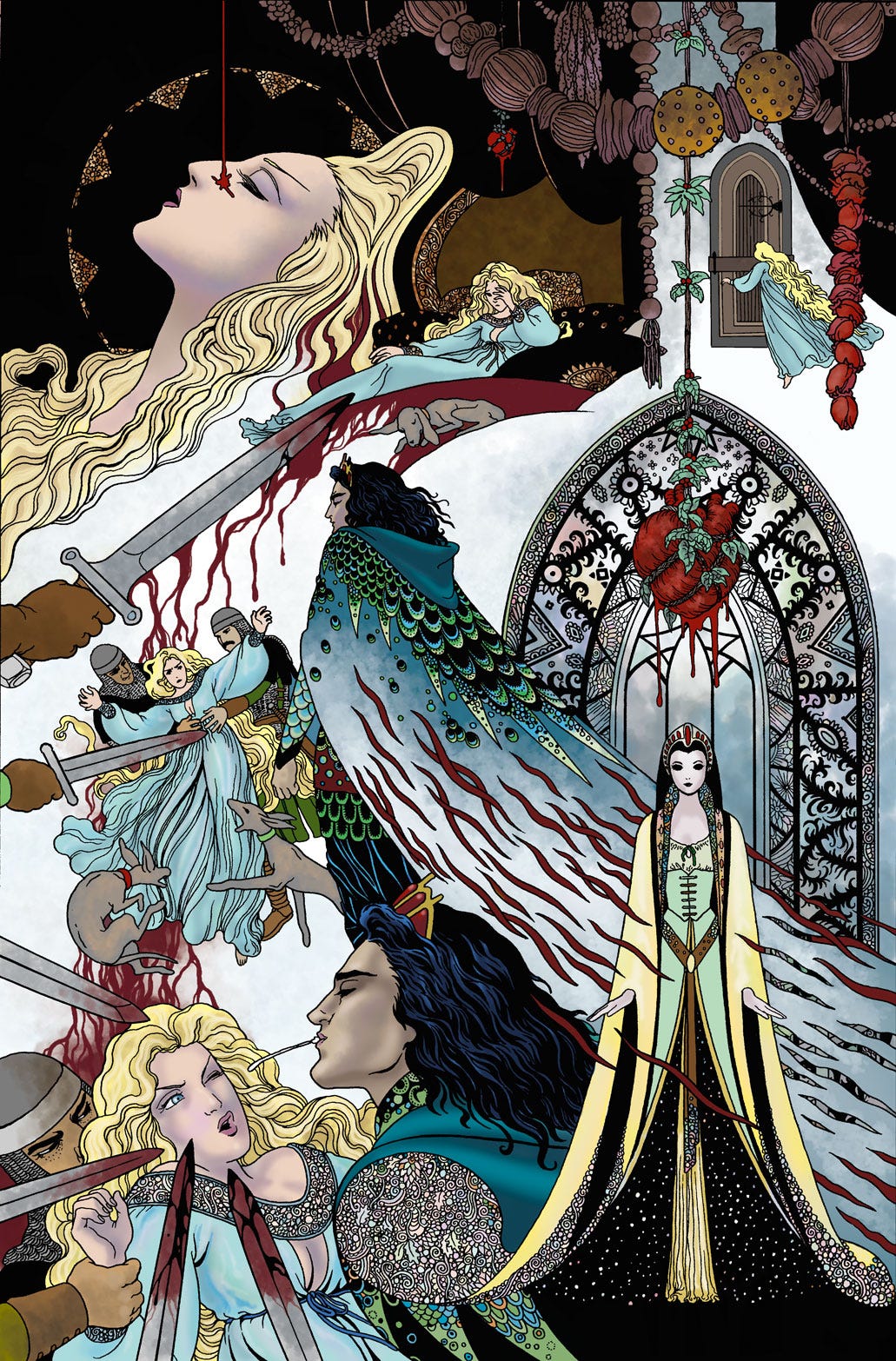
This book is now out of print. I purchased all remaining copies from the publisher.
If you are interested, I will have them at shows while they last, or you can order a signed copy direct from my store.
Beautiful work Colleen. I love seeing your process work, it's very inspiring.
I had never thought of putting my thumbnails in photoshop to tweak and light box them. I'm now completely rethinking how I will do my next comic.